
Growing or Classic: a morphing video or animated photos?
 By Sagie, founder of Echoes·Updated November 2, 2026
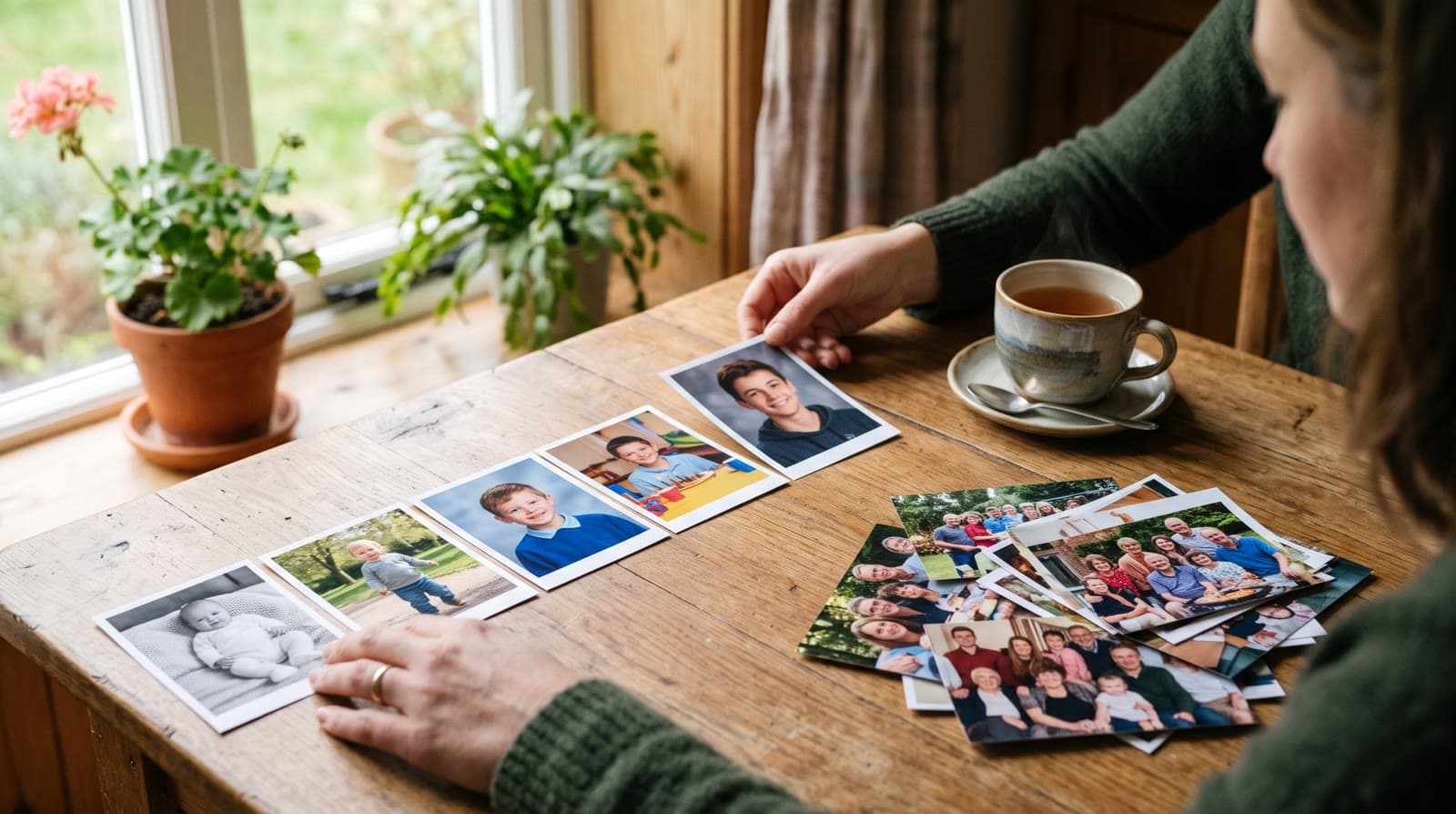
Pick Growing when the same person, couple or family appears across your photos: each photo morphs into the next, so the video becomes one continuous story of someone growing up or growing old. Pick Classic for big group photos, where the people change from one photo to the next. If you have both, use both, as two parts of one video.
The two styles in one paragraph each
Echoes has two animation styles, and both end up as one finished video with music, a personal opening and title cards. The difference is what happens between the photos.
The Growing style is our signature video: each photo naturally morphs into the next. A baby photo becomes a toddler, the toddler becomes a first-grader, and so on, in one unbroken video. Each consecutive pair of photos becomes one animation, so 13 photos make 12 animations that join into one continuous shot.
The Classic style brings each photo to life on its own, with gentle, natural motion, then joins the animations into one video. Each photo is its own animation, so the people in it don't have to match the photo before.
A quick test: look at who's in the photos
You don't need to think about technology to choose. Spread the photos out, or scroll through them on your phone, and ask one question: is it the same person all the way through?
- The same child, from birth to today. Growing.
- A couple, from their first photos together to now. Growing.
- A parent or grandparent across the decades. Growing.
- A set of big family photos at holidays and reunions, with a dozen relatives in each. Classic.
- Team photos from a career, or a class photo from every school year. Classic. (For a school year, see the end-of-school-year video, which pairs a Classic class video with a Growing one.)
For Growing, two more things help: the main person should be in every photo, and each photo should have fewer than three people in it. That keeps the person you're following at the center as one photo turns into the next.
Which style fits which occasion
Most people come to Echoes for an event. Here's where each style usually lands.
| Occasion | Usual choice | Why |
|---|---|---|
| Bar or bat mitzvah | Growing | From baby to bar mitzvah, one person growing up |
| Anniversary | Growing | The couple, together over the years |
| Milestone birthday (60, 70, 80) | Growing | A whole life, one photo flowing into the next |
| Graduation | Growing | Baby photos to cap and gown |
| Wedding | Growing | The bride and the groom, each growing up |
| Family reunion with big group photos | Classic part | Many people in every photo |
| Retirement | Growing, plus a Classic part | The person through the years, then the team photos |
These aren't rules. They're where each style tends to work best, and the last row is a reminder that you can use both.
Using both styles in one video
If your photos are mixed, with the guest of honor on their own and big group shots that nobody wants to leave out, you don't have to choose between them.
You can make a Growing part that follows one person through the years and a Classic part for the group photos. Both appear as separate parts of one finished video, and you choose which part plays first. A text slide can introduce any part, including the first, so you can write "The early years" before the Growing part and "With all of you" before the group photos.
One order that works well for a birthday or a bar mitzvah: the Growing part first, because it follows the guest of honor from the start, then the Classic part with the family and friends who are in the room.
Getting the most out of a Growing video
Growing is our signature style, so a few things are worth getting right (the full walkthrough is in how to make a Growing video):
- Take a few photos from each year. Scroll back through your phone and the family albums, and pick a few from each year. A wider spread across the years makes a better video.
- Keep the face clearly visible. This matters most. If the face isn't clear, the AI fills in the missing details and it stops looking like the person. Ordinary photos are fine, often better than posed ones, as long as the face is in view.
- Put them in order. Usually by age or by year, earliest first. Gaps are fine: a missing year just means a bigger jump between two photos.
- Let the prompts do their job. The prompt for each animation is tailored to your photos, so you don't write anything. If one animation doesn't come out the way you hoped, retry it, and on a retry you can also pick a specific animation yourself.
Retries come from a bank of free retries sized to your package. Swapping a photo uses retries from the same bank, and in Growing a middle photo is shared by two animations, so swapping it uses two.
For old prints, photograph them with your phone in even daylight, straight on, with no glare. No scanner needed. If the prints are fragile, the Library of Congress has a short guide to caring for and handling photographs that's worth reading before you take them out of the album. There's more on picking photos in how to choose photos for a video gift.
A Growing video can carry a whole life. One customer made a long video for her father's 80th birthday:
"We managed to produce a video that goes through all the stations of his life. It turned out very exciting."
- Ronit Bustin
How many photos each style takes
The smallest package is a 1-minute video, which takes 13 photos in Growing style or 12 in Classic style, and each extra minute takes 12 more. Growing needs one extra photo because the animations sit between the photos: 13 photos give 12 animations of about five seconds each.
You can upload dozens of photos at a time and keep adding, so a longer story just means a longer package. If you're not sure how long the video should be, see how long a video gift should be.
What stays the same in both styles
Whichever style you pick, the rest of the video works the same way:
- The shape (landscape, portrait or square) is chosen when you upload, with a suggestion based on your photos, and every animation is made in that shape. Landscape suits a screen at an event, portrait suits Stories and Reels, and square is a good middle ground. See portrait, landscape, or square.
- A personal AI opening with your own text, in one of several styles, such as Album of Memories, Window of Time or Door of Light.
- Music: upload your own song, choose from the built-in library, or have a custom track generated for you.
- Title cards and text slides, and re-compiling the final video as many times as you like.
- An MP4 at the end, ready for WhatsApp, a screen at the hall, or a digital frame.
Each of those steps is a few clicks, and the animations are made in the background, so you can step away and come back when they're ready. Most people finish in under 30 minutes.
What makes Echoes different
Echoes turns photos from across the years into one continuous video of a life. Each photo flows into the next, so a baby grows into a bar mitzvah boy, or a couple ages together over decades, in a single unbroken shot. Echoes then finishes it as a gift, ready to play at the event.
- Growing videos. You add dozens of photos of the same person or couple, and Echoes morphs each one into the next. It isn't a slideshow or a set of separate animations: you watch someone grow up or grow old in one continuous video. It fits bar and bat mitzvahs, anniversaries, and family tributes.
- Automated, but guided. Echoes does the heavy lifting: it picks the AI models, writes the prompts, generates the animations, and stitches everything into one finished video. You still decide everything that matters. It walks you step by step through ordering your photos, reviewing each animation (with a full set of free retries), and choosing the opening, the ending, and the music. You get the result of a skilled AI video workflow without having to learn one.
- A finished gift, not a tool. The result is a complete video with titles, an ending, a soundtrack, and a share link. It's priced by the length of the finished video, not by credits or tokens: a one-time purchase, with a 30-day money-back guarantee.
Start with the Growing style, and add a Classic part if you have group photos to include. Your first animation is free to try.

About the author
Sagie, founder of Echoes
Sagie is the founder of Echoes. He built it in 2025 after piecing together an AI video gift from his mother's old childhood photos for her 72nd birthday, and has since helped hundreds of families turn their own photos into video gifts.
Frequently asked questions
- Can I change the music or titles after the video is made?
- Yes. You can change the music, the opening and the title cards and compile the final video again, as many times as you like. That's included in every package, so nothing is locked in on the first pass.
- Can I make a separate video for each person?
- Yes. You can create as many separate projects as you like from one account, each with its own photos, music and opening. That suits a family that wants one Growing video for each grandparent, or one for each child.
- Can I show the year or age on the animations?
- Yes. You can add a short text over an animation, such as a year, an age or a place, and it stays on screen until the next animation starts. You can also add text slides between parts of the video, and opening and closing title cards.
- Still not sure which style to use. Can someone help?
- Yes. Real people are available on WhatsApp to help with anything, from choosing photos to finishing your video. Send a description of the photos you have and the occasion, and you'll get a straight answer on which style fits.
- What does it cost?
- It's a one-time purchase, not a subscription, priced by the length of the finished video, with a 30-day money-back guarantee. The AI opening, music, title cards, a bank of free retries sized to your package, and re-compiling the final video as many times as you like are all included.
- Are my photos private?
- Yes. Your photos are private to you and stored securely. They are never used to train AI models and are only used to create your video. You can delete your photos and videos from your account dashboard at any time.