
A wedding video from the couple's childhood photos
 By Sagie, founder of Echoes·Updated October 8, 2026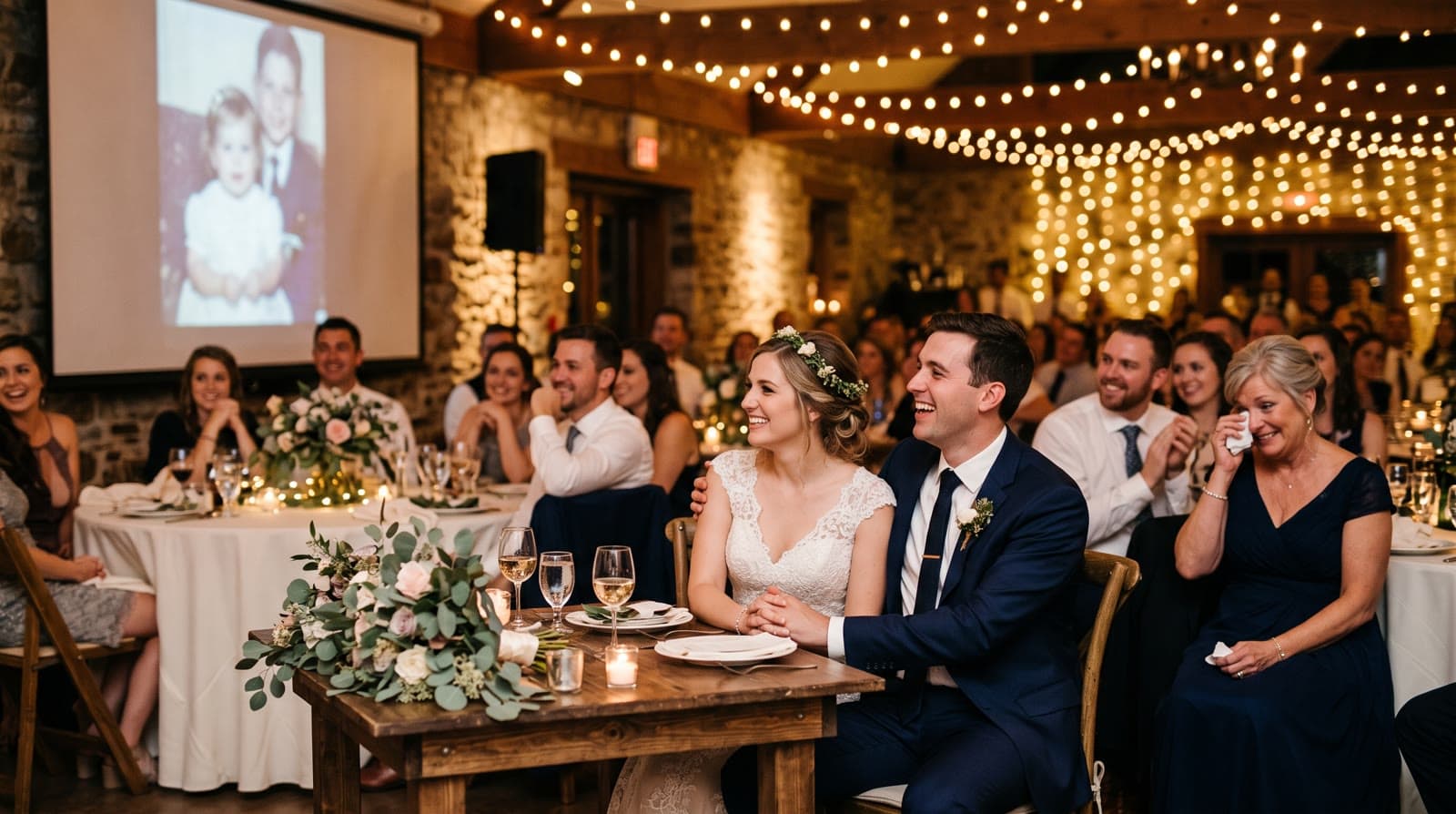
A wedding video from childhood photos shows the bride and groom growing up, and then growing up together. The easiest way to make one is in three parts: one person's photos from baby to today, the other person's photos from baby to today, and then photos of the two of them as a couple, each part blending photo into photo, with music and a personal opening.
Why this video works at a wedding
Most guests know the couple from one part of their lives: school friends, work friends, family. The childhood video is the moment everyone sees the whole story at once. The baby photos get a laugh, and the awkward teenage years get a bigger one, and then the two of them appear together.
It's also a gift to the parents. They are the ones who remember those early photos being taken, and seeing their child grow up on the big screen on the wedding day tends to hit them hardest.
The three-part structure
A Growing video blends each photo into the next, so the person grows up on screen in one continuous motion. You'll also hear it called an age morphing video. It works best when every photo has the same main person in it, which is why a wedding video works so well in parts:
- Her years. Photos of the bride from her earliest photos to today, in age order.
- His years. The same for the groom.
- Their years. Photos of the two of them together, from the first photo as a couple to the engagement.
In Echoes, each part is its own Growing project. In the final step you put them in the order you want, so one video plays her story, then his, then theirs. You choose who goes first.
You can also flip it: start with the two of them today and go back in time. The forward order has one advantage: the video ends on the two of them, right before the party.
How many photos to collect
Gather more photos than you think you need, and drop the weak ones later. The smallest package is a 1-minute video, which takes 13 photos in Growing style, and each extra minute takes 12 more. Every consecutive pair of photos becomes one animation, so a part with 13 photos plays for about a minute.
For a wedding screen, two to four minutes is a comfortable length. A three-part video often lands around three minutes: roughly a minute for each of you and a minute together. There's more on lengths in how long should a video gift be.
Where the photos are
Most childhood photos aren't on anyone's phone. They're in albums at the parents' house. A few practical tips:
- Ask both sets of parents early. They usually know exactly where the albums are, and they enjoy the search.
- Photograph prints with a phone. You don't need a scanner. Lay the print flat in good, even daylight and shoot straight on, without glare. For fragile originals, the Library of Congress has a short guide to caring for and handling photographs.
- Pick a few from each year. Scroll the years and choose two or three per year where you can, so the jumps between photos stay small.
Which photos to use
The rules are simple, and they matter:
- The face must be clearly visible. This is the big one. If a face is turned away, tiny, or hidden behind sunglasses, the AI has to fill in the details, and it stops looking like the person.
- Keep one main person in each photo for the solo parts, with fewer than three people per photo. A photo with the whole extended family is lovely, but the person it's about gets lost.
- For the couple part, the two of them is perfect. Two people per photo works well; just keep them both clearly in view.
- Ordinary photos are fine. You don't need professional shots. A clear snapshot from a birthday party often comes out better than a stiff studio portrait.
Finishing it for the big screen
Once the animations are ready, the finishing turns it into a wedding moment:
- A personal opening with your own text, for example both names and the date, in a style such as Album of Memories, Window of Time, or Door of Light.
- Music. Your wedding song, a track from the built-in library, or a custom song written for the two of you. You can also chain a few songs so they play one after another.
- A closing title card with a short line from the two of you at the end.
- Landscape format. A wedding screen is wide, so choose landscape. There's more in portrait, landscape, or square.
If an animation doesn't come out right, retry it or swap the photo. Every package comes with a full set of free retries, one for every animation in it, to spend wherever you need them. You can re-compile the final video as many times as you like.
Getting it to the venue
The finished video is an MP4. Send it to the DJ or the venue's AV person a few days before, ask them to do a test run, and bring a copy on a USB stick just in case. After the wedding, the same file is easy to share with the family, and it's a keepsake for both families.
"The feedback and the thank-yous have meant everything to me, and I want to keep going, and bring as much of that joy as I can."
- Sagie, founder of Echoes
Your photos stay private, are never used to train AI models, and can be deleted anytime from your dashboard. The Growing style is our signature video, where each photo naturally morphs into the next. For big group photos, the Classic style works best.

About the author
Sagie, founder of Echoes
Sagie is the founder of Echoes. He built it in 2025 after piecing together an AI video gift from his mother's old childhood photos for her 72nd birthday, and has since helped hundreds of families turn their own photos into video gifts.
Frequently asked questions
- Should the couple know about the video, or is it a surprise?
- Both work. Some couples make it themselves for the reception. When it's a surprise from the parents or the wedding party, someone still needs the childhood photos, so it helps to have one person on each side quietly collecting them from the families.
- When should we play it at the wedding?
- Common moments are the rehearsal dinner, the start of the reception before the first dance, or right before the toasts. Check with the venue or DJ ahead of time that there is a screen and sound, and send them the MP4 file in advance.
- How long before the wedding should we start?
- Collecting photos takes the longest, so start a few weeks ahead. Making the video itself is quick: most people finish in under 30 minutes once the photos are in hand, and you can change and re-compile it as many times as you like.
- Can we use our wedding song?
- Yes. You can upload your own song, choose from the built-in library, or have a custom song written for the video. If you upload a track, keep in mind that owning it or streaming it doesn't by itself give you the right to put it in a video you share publicly.
- What if one of us has very few childhood photos?
- That's common, especially for the early years. Use what you have in age order; a missing year just means a bigger jump between two photos. Grandparents and aunts often have prints that nobody has photographed yet, so ask around before you start.
- What does it cost?
- It's a one-time purchase priced by the length of the finished video, not a subscription, with a 30-day money-back guarantee. Retrying animations, changing music and titles, and re-compiling the final video are included.