
How long should a video gift be, and how many photos does it take?
 By Sagie, founder of Echoes·Updated November 14, 2026
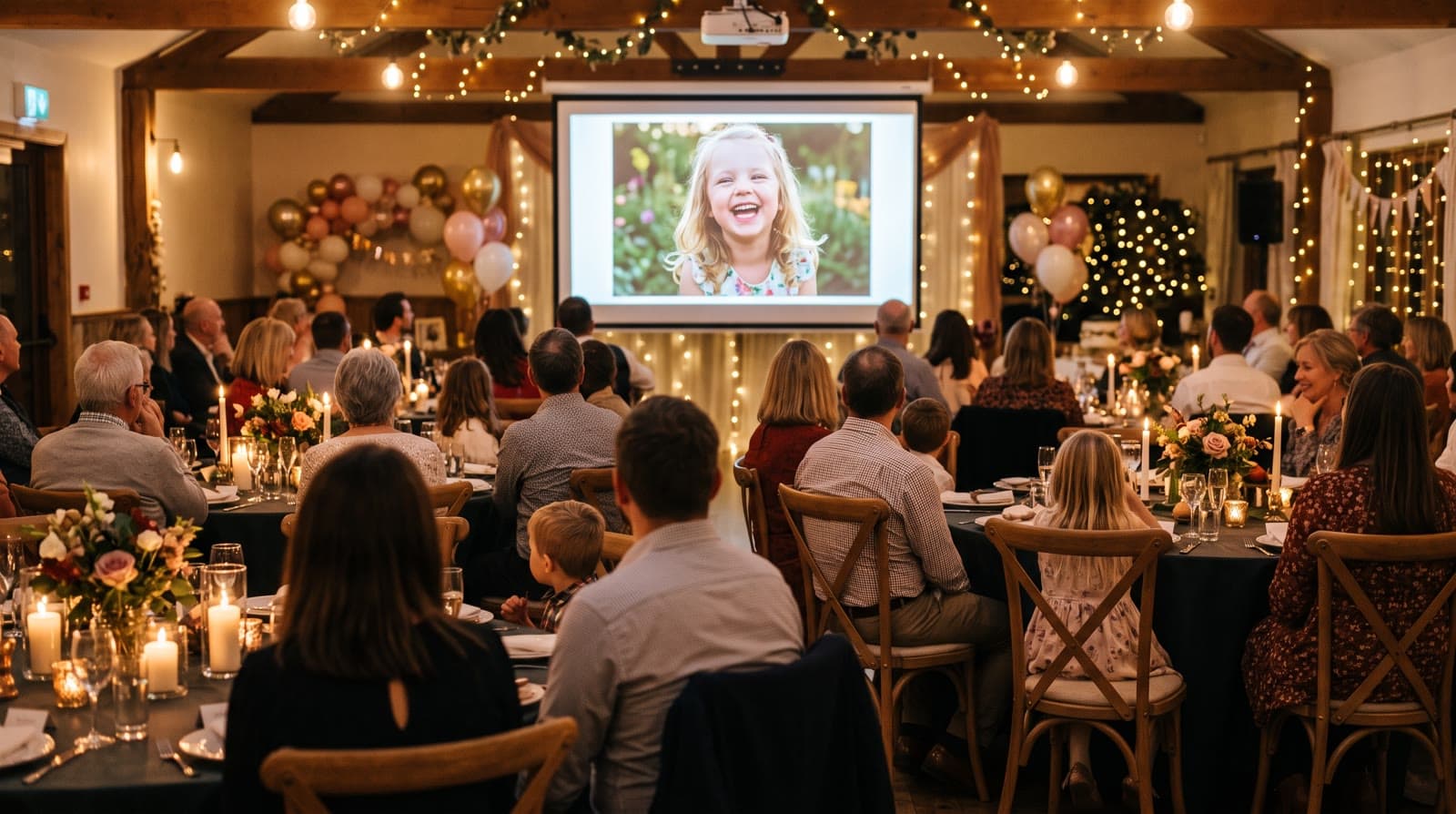
A video gift works best at a few minutes. For social media, about 1 minute. For a family WhatsApp or a private gift, 1-2 minutes. For the screen at an event, 2-4 minutes. With Echoes, a 1-minute Growing video takes 13 photos and each extra minute takes 12 more, so a 3-minute video needs 37 photos and a 4-minute one needs 49.
The short answer, by where it will be watched
Length depends less on the occasion and more on where people will watch it:
| Where it's watched | Suggested length | Photos (Growing / Classic) |
|---|---|---|
| Instagram, TikTok, Stories | About 1 minute | 13 / 12 |
| Family WhatsApp, a private gift | 1-2 minutes | 13-25 / 12-24 |
| The screen at an event | 2-4 minutes | 25-49 / 24-48 |
| A memorial or a long life story | 3 minutes or more | 37+ / 36+ |
These lengths are suggestions, not a rule, and the lengths currently on offer are shown in the pricing selector. The photo counts are exact: the smallest package is a 1-minute video, which takes 12 photos in Classic style or 13 in Growing style, and each extra minute takes 12 more.
Exact photo counts, minute by minute
| Video length | Photos in Growing style | Photos in Classic style |
|---|---|---|
| 1 minute | 13 | 12 |
| 2 minutes | 25 | 24 |
| 3 minutes | 37 | 36 |
| 4 minutes | 49 | 48 |
Why the photo math works that way
In Growing style, every consecutive pair of photos blends into one animation of roughly five seconds, so 13 photos give you 12 animations - about a minute. Classic style animates each photo on its own, so it needs one photo fewer for the same length.
That's why an animated video holds fewer photos per minute than a slideshow. A slideshow can flash a still photo for two seconds. An animation needs a few seconds to play out, and that's where the feeling comes from. For more on that difference, see photo slideshow or animated video.
At an event: think about the room
At a bar or bat mitzvah, a wedding, or a milestone birthday, the video usually plays once, on a big screen, while the room goes quiet. A few things to keep in mind:
- Two to four minutes is a comfortable window. Long enough to carry the years, short enough that nobody drifts back to their phone.
- One song is a natural length. Many songs run around three to four minutes, and a video that starts and ends with the song feels complete.
- Landscape plays best on a screen. The video's shape follows your photos, so if most of them are landscape, the video will be too. There's more in portrait, landscape, or square.
For what to put in a bat mitzvah video, and what to send in the family WhatsApp instead, see bat mitzvah video ideas.
For social media and WhatsApp: shorter wins
On a phone, people scroll. A one-minute video that starts strong is much more likely to be watched to the end than a five-minute one. If you're making one video for the event and also want to share it online, you can make a second, shorter project with your strongest photos. Each project is its own video, with its own music and opening.
For a memorial: give it room
A memorial or a tribute to a long life can run longer. People who come to a memorial want to see the whole life, and a few extra minutes is welcome. Even so, quality beats count: 40 photos where every face is clear make a better video than 70 where half are blurry. There's a gentler guide in how to make a memorial video from photos.
Pick the photos first, then the length
In practice, the best way to decide the length is to gather the photos first and see what you have:
- Scroll back through the years on your phone and pick a few from each year.
- Ask the family for the years you're missing, especially the early ones that live in someone's album. Photograph old prints with your phone in even daylight, straight on - the Library of Congress has a short guide to caring for and handling photographs if they're fragile.
- Drop the weak ones. Keep only photos where the face is clearly visible. If a face is turned away or tiny, the AI has to fill in the details, and it stops looking like the person.
- Count what's left and let that set the length. About 37 good photos make a three-minute Growing video.
For a Growing video, keep the same main person in every photo.
A worked example: a bat mitzvah video
Say the video is for a girl turning 12, and it will play on the screen at the party. Three minutes sits comfortably in the event window, and a three-minute Growing video takes 37 photos.
That works out to about three photos for each year of her life. In practice the early years are often the richest, because the phone was always out, so you might end up with five photos from her first year and two from a quieter year in the middle. That's fine. What matters is that every year is there and the face is clear in every photo.
If you only find 30 good photos, a two-minute video (25 photos) made from strong photos will feel better than a three-minute one padded with blurry ones. If you find 60, you can go longer, or keep the best 37 and save the rest for a second, shorter video to share online.
Keeping a longer video easy to watch
A longer video holds attention when it has a shape, not just more photos.
- Open with a title. Every video starts with a short AI opening with your own text, in styles such as Album of Memories, Window of Time or Door of Light. It tells the room what they are about to watch.
- Label the years. A short caption on an animation, such as an age or a year, helps people follow the timeline without anyone explaining it.
- Break it into parts. When a video combines more than one part, a text slide can introduce each part, for example "The army years" or "Grandchildren".
- End on purpose. A closing title card with a date or a short dedication gives the room a moment before the lights come up.
You're not locked in
Once the video is compiled, you can still change it. You can swap photos, change the music or title cards, and re-compile the final video as many times as you like at no extra cost. Every package also includes a bank of free retries sized to the package, to spend on the animations that don't come out right.
The length matters less than the moment it creates. Some families go long on purpose:
"We had a lot of fun creating a film of over nine minutes with him in honor of my father's 80th birthday."
- Ronit Bustin
Packages are named by the finished video's length, so once you know how long you want it, choosing is simple. The Growing style is our signature video: each photo naturally morphs into the next. For group photos, Classic style works best.
What makes Echoes different
Echoes turns photos from across the years into one continuous video of a life. Each photo flows into the next, so a baby grows into a bar mitzvah boy, or a couple ages together over decades, in a single unbroken shot. Echoes then finishes it as a gift, ready to play at the event.
- Growing videos. You add dozens of photos of the same person or couple, and Echoes morphs each one into the next. It isn't a slideshow or a set of separate animations: you watch someone grow up or grow old in one continuous video. It fits bar and bat mitzvahs, anniversaries, and family tributes.
- Automated, but guided. Echoes does the heavy lifting: it picks the AI models, writes the prompts, generates the animations, and stitches everything into one finished video. You still decide everything that matters. It walks you step by step through ordering your photos, reviewing each animation (with a full set of free retries), and choosing the opening, the ending, and the music. You get the result of a skilled AI video workflow without having to learn one.
- A finished gift, not a tool. The result is a complete video with titles, an ending, a soundtrack, and a share link. It's priced by the length of the finished video, not by credits or tokens: a one-time purchase, with a 30-day money-back guarantee.
Your first animation is free to try.

About the author
Sagie, founder of Echoes
Sagie is the founder of Echoes. He built it in 2025 after piecing together an AI video gift from his mother's old childhood photos for her 72nd birthday, and has since helped hundreds of families turn their own photos into video gifts.
Frequently asked questions
- What if I'm not sure how long to make it?
- Ask us. Real people are available on WhatsApp to help with anything, from choosing photos and deciding on a length to finishing the video. If you tell us where it will be shown and how many good photos you have, the length usually becomes clear quickly.
- Does a longer video cost more?
- Yes. Packages are priced by the length of the finished video (the 2 Minute, 3 Minute packs, and so on), because a longer video means more animations. It's a one-time purchase, not a subscription, with a 30-day money-back guarantee.
- Where do I get the finished video?
- It's an MP4 in your account dashboard, ready to download whenever you like. It stays there, so you can come back to download or share it again later.
- Are my photos private?
- Yes. Your photos are private to you, stored securely, never used to train AI models, and you can delete them from your dashboard at any time.
- How long does it take to make?
- Most people finish in under 30 minutes once the photos are gathered. Each animation is created in the background, so you can start it, leave the tab, and come back when it's ready.
- Will the music fit the video's length?
- Yes. If the song is shorter than the video, it loops to fill it, and if it's longer, it's trimmed with a fade-out at the end. You can upload your own song, choose from the built-in library, or have a custom song generated, and changing it is included.