
Bat mitzvah video ideas: from baby photos to age 12
 By Sagie, founder of Echoes·Updated November 23, 2026
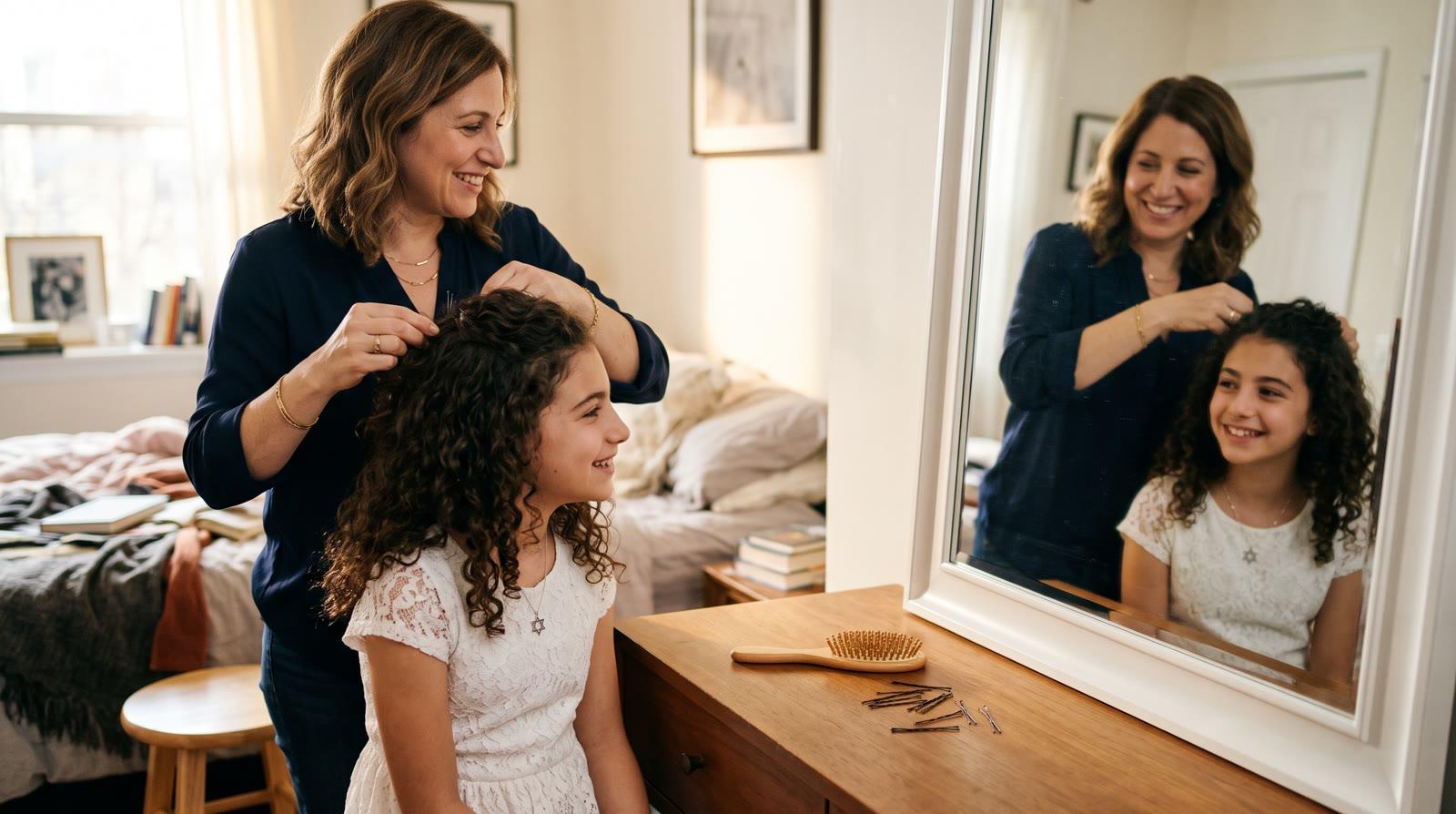
A bat mitzvah video works best when it tells her story from baby photos to age 12 in one piece: her first years, school, her friends and hobbies, and the girl she is today. A Growing video, where each photo morphs into the next, makes a strong core. Around it, add a personal song about her, a short opening line, and a surprise from family or friends.
Start from the girl she is at 12
In Jewish tradition a girl comes of age at 12, a year before a boy, and the bat mitzvah is observed at 12 or 13, as My Jewish Learning's Bar and Bat Mitzvah 101 explains. So a bat mitzvah video covers about twelve years, and the last of them matter as much as the first.
It's easy to make a baby album with a recent photo stuck on the end. The ideas below go the other way: decide first what the video says about her now, what she loves, who her people are, what makes her laugh, and then choose the photos that lead up to it. A guest who has only met her this year should come away knowing her a little better.
Five story ideas for a bat mitzvah video
1. From baby photos to 12, in one take
The core idea: photos of her from the first days to this year, each one morphing into the next, so the room watches her grow up without a single cut. This is what the Growing style does. A few photos from each year keeps it even, and her face should be clearly visible in every one; if it isn't, the AI fills in the details and it stops looking like her. Short text on an animation, like "Age 3" or "First grade", tells guests where they are in the story without stopping it.
2. Her world: the hobbies
At 12 she probably has a thing. Dance, football, drawing, the guitar, the scouts, horses. Photos of her doing it can sit right inside the growing-up story, so the girl at her first dance class grows into the girl on stage this year. One practical note: hobby photos are often taken from far away, from the back row of a recital or the side of a field. Pick the ones where her face is clear, even if they are less dramatic.
3. Her friends
Friends are a big part of who she is at 12, and the photos with them are usually group photos. Those work better in a part of their own in Classic style, where each photo is animated on its own, inside the same video. A text slide can introduce the part, something like "And then came the friends". Ask one of her friends' parents for a few photos from class trips and birthdays; the best ones are rarely on your phone.
4. The family around her
Grandparents holding her as a baby, her siblings, the cousins at every holiday. A family part, again in Classic style for the group photos, can come before or after her own story. Some families end the video here: she grew up, and this is everyone who watched it happen.
5. Same place, twelve years apart
A small idea that people remember: find a baby photo taken somewhere that still exists, like grandma's balcony, the front steps, the beach you go to every summer, and take a new photo of her in the same spot. Put the old one early and the new one at the end of the growing-up story.
You don't have to use all five. A video built around the first idea, with one family or friends part, is plenty for most events.
Who makes it
- The parents. The video is the parents' gift, played at the event. The opening text and the closing line are theirs.
- Grandparents. They often have the photos from the first years, and the video can open with their words to her. Ask the parents quietly for this year's photos.
- A brother or sister. Older siblings know which photos she'd love and which she'd hate. A video from them can be funnier and more honest than one from the parents.
- Her friends, as a surprise. Friends can't make the growing-up part without the family's photos, but they can add to it. Each one records a short greeting on a phone, and the greetings go into the video's closing, which holds photos and videos together, up to 2 minutes in all, with their sound. For more on combining the two, see group video messages or a photo video.
Whoever makes it, one person should hold the project and collect everything. When five people each send photos to a different relative, the best ones get lost.
A personal song with words about her
A song she already loves is a good choice. A song written about her is a different kind of gift: her name in the chorus, her nickname, the dog, the dance class, the inside joke from the family trip. In Echoes, the custom song is part of the music step. You tell it about her, choose a style and a voice, read the drafted lyrics and change any line, and the song is sized to your video's length.
Two things to keep in mind for a 12-year-old. First, the song plays in front of her whole class, so leave out anything that would embarrass her at 12, even if it was sweet at 5. Second, read the lyrics with her name out loud; in Hebrew, adding vowel marks to the name usually gets it sung right. There's a full walkthrough in a personal song for a video gift.
The opening line and the words on screen
The video opens with a personal AI opening with your own text, in a style like Album of Memories, Window of Time or Floating Lanterns. Keep the text short: her name and the date, or her name and "12". At the event the video is projected on a big screen, often across a dark hall, and a short line in large letters reads from the back tables; a paragraph doesn't.
The same goes for the closing title card. One line from you to her, "We are so proud of you", lands better than a letter. If the event is in Hebrew, how to add Hebrew text to a photo video covers getting the words to show the right way round.
What to show at the event, and what to send in the family WhatsApp
- At the event: the full version, about two to four minutes, played once with the lights down. Landscape suits the screen at the hall. A four-minute Growing video takes 49 photos.
- In the family WhatsApp: the same file works, and relatives abroad can watch it the next morning. If you want something shorter, about a minute, make a second project with the strongest photos.
- For her own phone: she may want to post it. Portrait suits Stories and Reels. The shape is chosen at upload, so make the hall version in landscape, then pick portrait in Format & pacing and compile it again, at no extra cost: everything is shown whole on a soft blurred background.
There's more on choosing the length in how long a video gift should be, and on the hall's screen and sound in how to show a video gift at an event.
Make it with her, or keep it a surprise?
Both work. Making it with her means she picks the baby photos she's happy for everyone to see, which matters at 12, and she'll have opinions. Keeping it a surprise means the reaction at the event is real. If it's a surprise, her siblings and her friends' parents are the best source for recent photos, because asking her for "a few photos of you with your friends" gives the game away.
One parent who made one for a daughter's bat mitzvah wrote:
"Perfect platform for creating videos. Made a four minute video for my daughter's Bat Mitzvah, was a blast! Easy to use, not costly, very simple user interface with friendly tutorials. I highly recommend the platform!"
- Yaacov
Making it with Echoes
The step-by-step, from gathering the photos to playing the file at the hall, is in a bar or bat mitzvah video gift, and the general how-to is in how to make a Growing video from your photos. In short: the smallest package is a 1-minute video, which takes 13 photos in Growing style, and each extra minute takes 12 more. Encourage the family to send as many photos as they can find; a bigger pile makes it easier to keep only the ones where her face is clear. Photos of any shape work, and they are never cropped to fit. Every package includes a bank of free retries sized to the package, for any animation you want to redo.
The Growing style is our signature video: each photo naturally morphs into the next. For group photos, Classic style works best.
What makes Echoes different
Echoes turns photos from across the years into one continuous video of a life. Each photo flows into the next, so a baby grows into a bat mitzvah girl, or a couple ages together over decades, in a single unbroken shot. Echoes then finishes it as a gift, ready to play at the event.
- Growing videos. You add dozens of photos of the same person or couple, and Echoes morphs each one into the next. It isn't a slideshow or a set of separate animations: you watch someone grow up or grow old in one continuous video. It fits bar and bat mitzvahs, anniversaries, and family tributes.
- Automated, but guided. Echoes does the heavy lifting: it picks the AI models, writes the prompts, generates the animations, and stitches everything into one finished video. You still decide everything that matters. It walks you step by step through ordering your photos, reviewing each animation (with a full set of free retries), and choosing the opening, the ending, and the music. You get the result of a skilled AI video workflow without having to learn one.
- A finished gift, not a tool. The result is a complete video with titles, an ending, a soundtrack, and a share link. It's priced by the length of the finished video, not by credits or tokens: a one-time purchase, with a 30-day money-back guarantee.
Planning a bat mitzvah? The bar and bat mitzvah video gift page shows examples, how it works, and pricing. Your first animation is free to try.

About the author
Sagie, founder of Echoes
Sagie is the founder of Echoes. He built it in 2025 after piecing together an AI video gift from his mother's old childhood photos for her 72nd birthday, and has since helped hundreds of families turn their own photos into video gifts.
Frequently asked questions
- Can we put short videos of her in it, not only photos?
- Yes, at the start and the end. Your own video can be the opening, up to 60 seconds, and the closing can hold photos and videos together, up to 2 minutes in all. Both keep their sound, so a short video of her first words or a friends' greeting is heard as it was recorded.
- What if her early photos are with relatives abroad?
- Ask them to photograph each print with a phone, in even daylight and straight on, and send you the photos. No scanner is needed. Phone photos and photographed prints both work, so the photos from her first years can come from anywhere in the world and sit in the same video.
- Can the personal song be in Hebrew?
- Yes. You choose the lyrics language before the words are drafted, English or Hebrew, and you can edit every line before the song is made. Choose the language first, because switching it later doesn't translate lyrics you already have. Adding vowel marks to her name helps it come out sung right.
- A grandparent found more photos after we started. Can we add them?
- Yes. Adding a photo to a Growing video later uses animations from your package: one if the photo goes at the start or the end, two if it goes in the middle, since a middle photo is shared by the animations on both sides. Then re-compile the final video.
- How do relatives who can't come to the event see it?
- Send them the share link, or the MP4 itself. The finished video stays in your account dashboard, so you can download it or share it again whenever you like, for example with family abroad on the morning after the event.