
How to choose photos for a video gift
 By Sagie, founder of Echoes·Updated October 5, 2026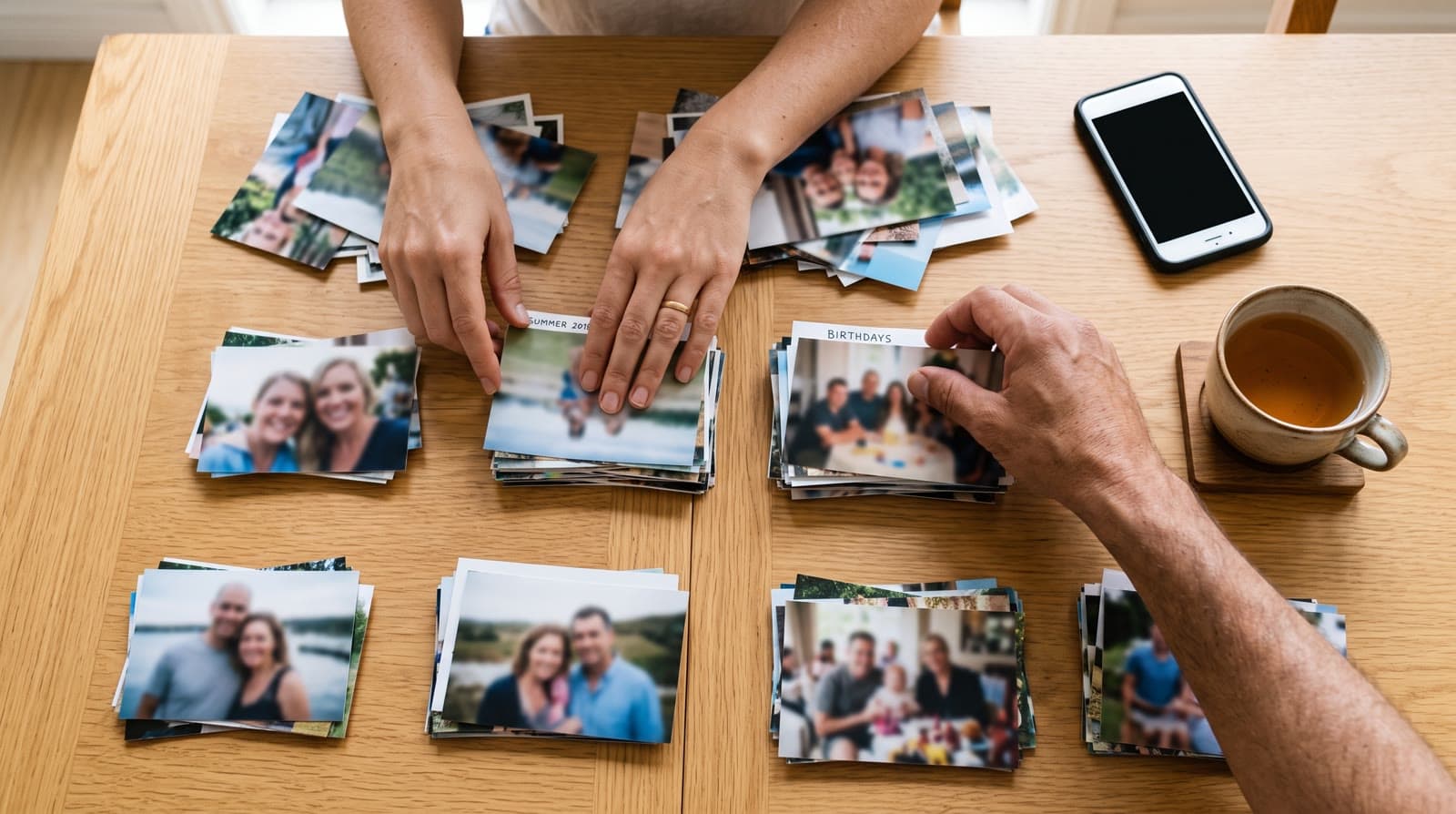
To choose photos for a video gift, scroll back through the years on your phone and pick a few from each year. You don't need perfect shots - ordinary, candid photos often animate better. What matters most is that the face is clearly visible in each one, and for a Growing video, that it's the same person throughout.
Scroll the years, pick a few from each
The easiest way to build a video that feels like a whole story is to open your phone's camera roll and scroll back year by year, pulling a few photos from each. A spread across time - baby, school years, a holiday, this year - carries more feeling than ten photos from the same afternoon.
You don't have to decide the final order perfectly up front. You can rearrange photos as you go, and swap any of them out later.
This is my favorite part, honestly:
"I've always been a nostalgic person. I love old photos, videos, and vacation albums."
- Sagie, founder of Echoes
Going back through the years is half the gift. Give yourself a little time with the albums - the right photos tend to find you.
Ordinary photos beat perfect ones
This surprises people: the polished, posed portraits often aren't the best choices. Candid, everyday photos - someone mid-laugh, a normal Tuesday, a slightly imperfect moment you almost deleted - tend to animate into something warmer and more alive. Perfect isn't the goal; real is.
The one rule that really matters: the face must be visible
More than lighting or resolution, this is the thing to get right: you can clearly see the face. If a face is turned away, tiny in the frame, or partly hidden, the AI fills in the details it can't see - and the result stops looking like the person. Clear, front-lit photos where the face reads well give the best animations. If you can't really make out the face, leave that photo out.
How many photos, and how the count works
You can use dozens. The smallest package is a 1-minute video, which takes 12 photos in Classic style or 13 in Growing style, and each extra minute takes 12 more. A wider spread across the years almost always makes a better gift.
It helps to know how the count turns into the video. In a Growing video, each consecutive pair of photos is blended into one animation, so the number of blends is one less than your photo count: 13 photos make 12 animations, 25 photos make 24. In a Classic video, each photo becomes its own animation. Either way, more photos means a longer finished video, and you choose a package by finished-video length.
What to leave out
A few kinds of photos tend to cause trouble, so it's worth a quick pass to weed them out:
- Distant group shots where every face is tiny - the subject gets lost.
- Heavy blur or motion, especially across the face.
- Faces hidden by sunglasses, hats, hands, or a turn away from the camera.
- Very dark or backlit shots where the face is in shadow.
You don't have to be strict about it - every package comes with a free retry for every animation, so a borderline photo is easy to test and swap. But leading with your clearest shots saves you time.
Choosing photos for a Growing video
A Growing video blends each photo into the next, so it asks a little more of your selection:
- Keep the same person as the clear subject across all the photos - that consistency is what makes the blend read as one person over time.
- A few people per photo at most (ideally fewer than three), so the main subject stays the focus.
- Order by age or time, earliest first, so the story flows in one direction.
For group photos, the Classic style works best.
Using old printed photos
You don't need a scanner. Photograph each print with your phone in good, even daylight, holding the camera straight on and avoiding reflections and shadows. That single snapshot is all you need to bring an old photo back to life. For fragile or precious originals, the Library of Congress has practical advice on caring for and handling photographs worth a quick look first.
Gathering photos from family
Some of the best photos aren't on your phone - they're with a parent, a sibling, or in someone's old album. It's worth a quick message to the family group asking for a few clear ones from years you don't have. People usually love being asked, and a photo from a relative often turns out to be the one that makes the whole video.
A quick checklist before you start:
- A spread across the years, not ten shots from one afternoon.
- The face clearly visible in every photo.
- For a Growing video, the same main subject throughout.
- Ordinary, candid shots over stiff, posed ones.
- Your clearest photos first.
You can change your mind later
Choosing photos isn't a one-shot decision. You can reorder them as you go, swap any photo for a better one, retry an animation, and re-compile the final video as many times as you like. So pick a set that feels right, start, and adjust as you see it come together.

About the author
Sagie, founder of Echoes
Sagie is the founder of Echoes. He built it in 2025 after piecing together an AI video gift from his mother's old childhood photos for her 72nd birthday, and has since helped hundreds of families turn their own photos into video gifts.
Frequently asked questions
- How many photos should I use?
- More than most people expect. The smallest package is a 1-minute video, which takes 12 photos in Classic style or 13 in Growing style, and each extra minute takes 12 more. More photos almost always make a fuller gift.
- Can I rearrange the photos after uploading?
- Yes. You can reorder photos as you go and re-compile the final video as many times as you like, so you don't have to get the order perfect up front.
- What if I upload a photo and it doesn't work?
- Every package comes with a free retry for every animation, for the ones that don't land, and you can also swap that photo for a different one - so a photo that doesn't land is easy to fix or replace.
- Do the photos all need to be the same shape?
- No. You can mix portrait, landscape, and square photos. The finished video takes one shape, so if your set is mixed, square is usually the most forgiving choice - there's more on this in the format guide.
- Can I use screenshots or photos of photos?
- Yes. A phone photo of an old print works fine, and so does a screenshot, as long as the face is clear and the image isn't too small or blurry.
- What does it cost?
- It's a one-time purchase priced by the length of the finished video, not a subscription, with a 30-day money-back guarantee, and your first animation is free to try.
- Are my photos private?
- Yes. Your photos are private to you, stored securely, and never used to train AI models, and you can delete them any time from your dashboard.