
How to make a video from old photos
 By Sagie, founder of Echoes·Updated October 5, 2026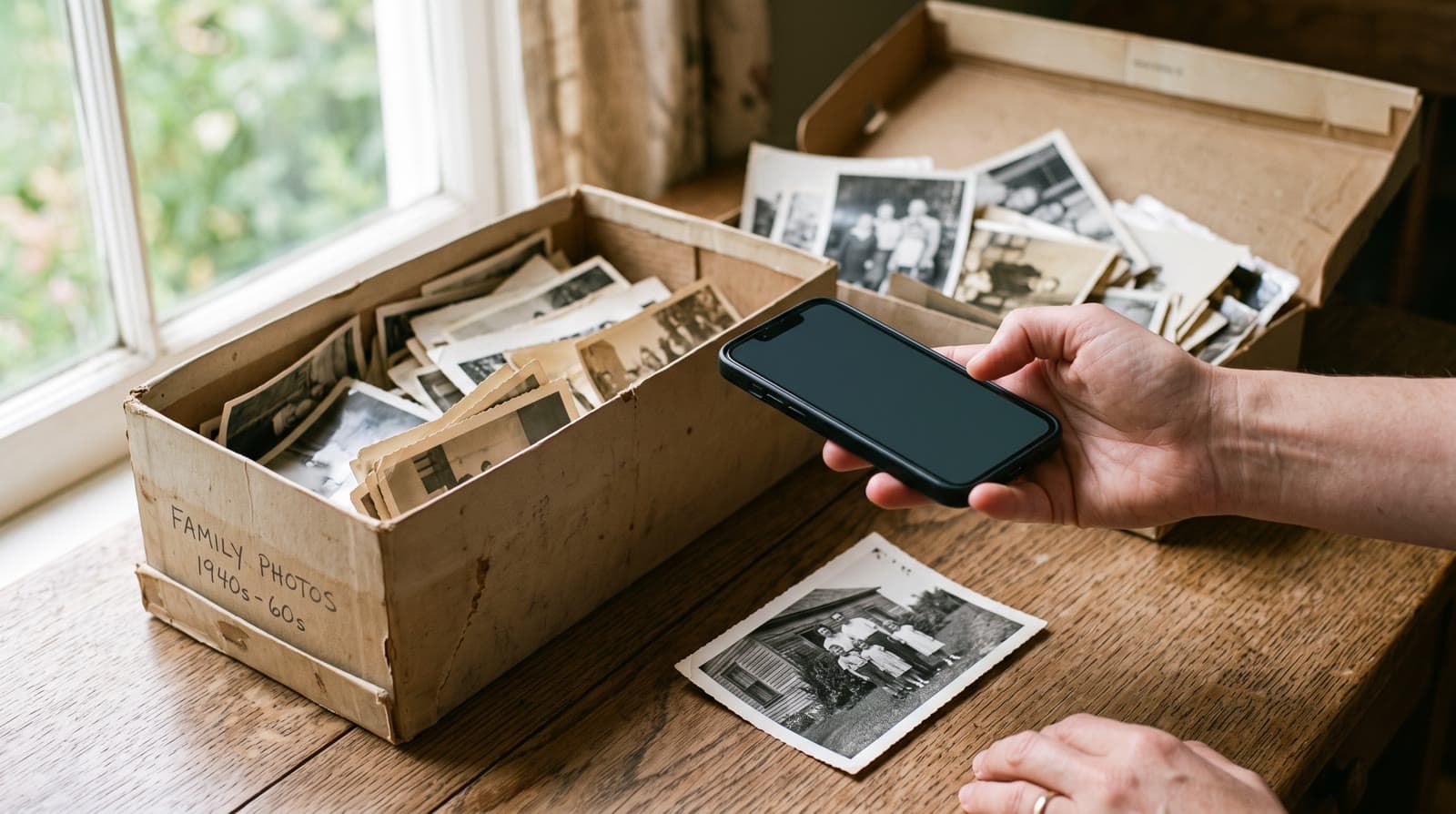
To make a video from old photos, you upload them to an AI tool that adds gentle, natural motion to each one, then combines them into a single video with music. With Echoes you don't edit anything - it animates the photos automatically (in our signature Growing style, each photo naturally morphs into the next) and finishes the video with a personal opening and a closing title card. Most people go from a pile of photos to a finished video in under 30 minutes.
What you need
Just the photos and a phone or computer. No video editor, no software to install, no skills. If your photos are old prints, you don't even need a scanner - a phone photo of each one works.
This is the part that made me build Echoes in the first place. I did it by hand once, for my mother, and it took real trial and error:
"I wanted to make her a special gift - to take her old childhood photos and the photos of her parents, and bring them back to life."
- Sagie, founder of Echoes
The whole point of the tool is that you skip all of that. There are no prompts to write and no models to juggle - you bring the photos, and the platform does the hard parts.
Step by step
- Choose your photos. Photos across the years - the more, the better. You can upload dozens at a time.
- Upload them. Straight from your phone or computer, including photos of old prints.
- We animate them. In our signature Growing style, each photo naturally morphs into the next; for group photos, Classic style brings each one to life on its own. If one doesn't look right, retry it (every package comes with a free retry for every animation).
- We finish the video. A personal opening with your own text, a closing title card, and music - your own song, a library track, or one generated for you.
- Download and share. You get an MP4, ready for WhatsApp, Instagram, Facebook, or a digital frame.
Each of those steps is a few clicks, and the animating happens in the background - you can start it, step away, and come back when it's ready.
Growing or Classic - which style
Echoes has two animation styles, and there are examples of both on the homepage. The Growing style is our signature video: each photo naturally morphs into the next, so it becomes one continuous video of someone changing over the years. It works best with the same person, or the same small group, across the photos. For group photos, the Classic style works best: it brings each photo to life on its own and compiles them into one video.
Photographing prints from an album
If your photos live in an album or a shoebox, you don't need a scanner - just take a photo of each one with your phone. A few things make these come out clean:
- Good, even light. Daylight near a window works best. Avoid a single harsh lamp, which throws hard shadows.
- Hold the phone straight above the photo, so the picture fills the frame without tilting.
- Watch for glare and reflections on glossy prints and album sleeves - tilt the photo or shift your angle slightly until they're gone.
For fragile or one-of-a-kind prints, it's worth handling them carefully. The Library of Congress publishes plain, practical guidance on caring for and handling photographs that's worth a skim before you dig through a box of originals.
The one rule that really matters when picking which photos to use: the face has to be clearly visible, or the AI fills in the missing details and it stops looking like the person. For more on picking the right ones, see how to choose photos for a video gift, and for the video's shape, portrait, landscape, or square.
Finishing it: opening, music, and titles
The animating is only half of it. What turns a set of moving photos into something you'd actually give someone is the finishing, and it's all built in:
- A personal opening with your own text, in one of a few styles - Album of Memories, Window of Time, or Door of Light.
- Music that sets the tone - upload your own song, choose from the built-in library, or have a custom track generated for you.
- A closing title card with a name, a date, or a few words at the end.
You can re-compile the final video as many times as you like until it feels right, so nothing is locked in on the first pass.
Where you'll play or share it
Think about where the video will live, because the finished MP4 takes the shape of your photos:
- On a screen at an event - a birthday, a reunion, an anniversary dinner - where landscape suits a TV or projector.
- On a digital frame at home, where you load the MP4 onto the frame and it plays on a loop.
- In the family group or on social - WhatsApp, Instagram Stories, Reels, TikTok - where vertical fits best.
If your photos are a mix of shapes, square is the most forgiving choice. There's more on this in portrait, landscape, or square.
What it costs, and your privacy
It's a one-time purchase priced by the finished video's length, not a subscription, with a 30-day money-back guarantee - and retries, music, and remaking the final video are all included. Your first animation is free to try. If you get stuck, a real person is on WhatsApp to help, not a chatbot.
Your photos stay private to you, are never used to train AI models, and you can delete them anytime from your dashboard.

About the author
Sagie, founder of Echoes
Sagie is the founder of Echoes. He built it in 2025 after piecing together an AI video gift from his mother's old childhood photos for her 72nd birthday, and has since helped hundreds of families turn their own photos into video gifts.
Frequently asked questions
- Do I need editing skills or software?
- No. There's nothing to install and no editing on your part - you upload the photos and Echoes does the animating, the music, and the titles. Most people finish their whole video in 15-30 minutes.
- Can I use damaged or faded old photos?
- Usually, yes. Slightly faded or aged prints animate fine, as long as the face is still clearly visible. If a photo is badly torn or blurred right across the face, pick a clearer one - every package comes with a free retry for every animation, so it's easy to test a borderline photo.
- How long is the finished video?
- It depends on how many photos you use and the package length you choose - packages are named by finished-video length (2 Minute, 3 Minute, and so on). More photos make a longer video; you can re-compile the final cut as many times as you like.
- What does it cost?
- It's a one-time purchase priced by the length of the finished video, not a subscription, with a 30-day money-back guarantee. Retrying an animation and re-making the final video are included.
- What if an animation doesn't come out well?
- You can retry any animation (every package comes with a free retry for every animation, to spend wherever you need them), or swap that photo for a different one, until it looks the way you want.
- Where can I share the finished video?
- It's an MP4 you can share on WhatsApp, Instagram, or Facebook, or load onto a digital frame. Its shape follows your photos, so it fits both a screen at an event and vertical formats like Stories and Reels.
- Are my photos private?
- Yes. Your photos are private to you, stored securely, and never used to train AI models. You can delete your photos and videos any time from your dashboard.