
Henna party video ideas from the couple's childhood photos
 By Sagie, founder of Echoes·Updated November 23, 2026
Good henna video ideas lean on family: start with the grandparents' photos from both sides, then each partner growing up, then the two of them together. Instead of a slideshow, a Growing video morphs each photo into the next. Add a short opening with both names and lively music, and play it in the hall before the dancing.
How the henna is different from the wedding
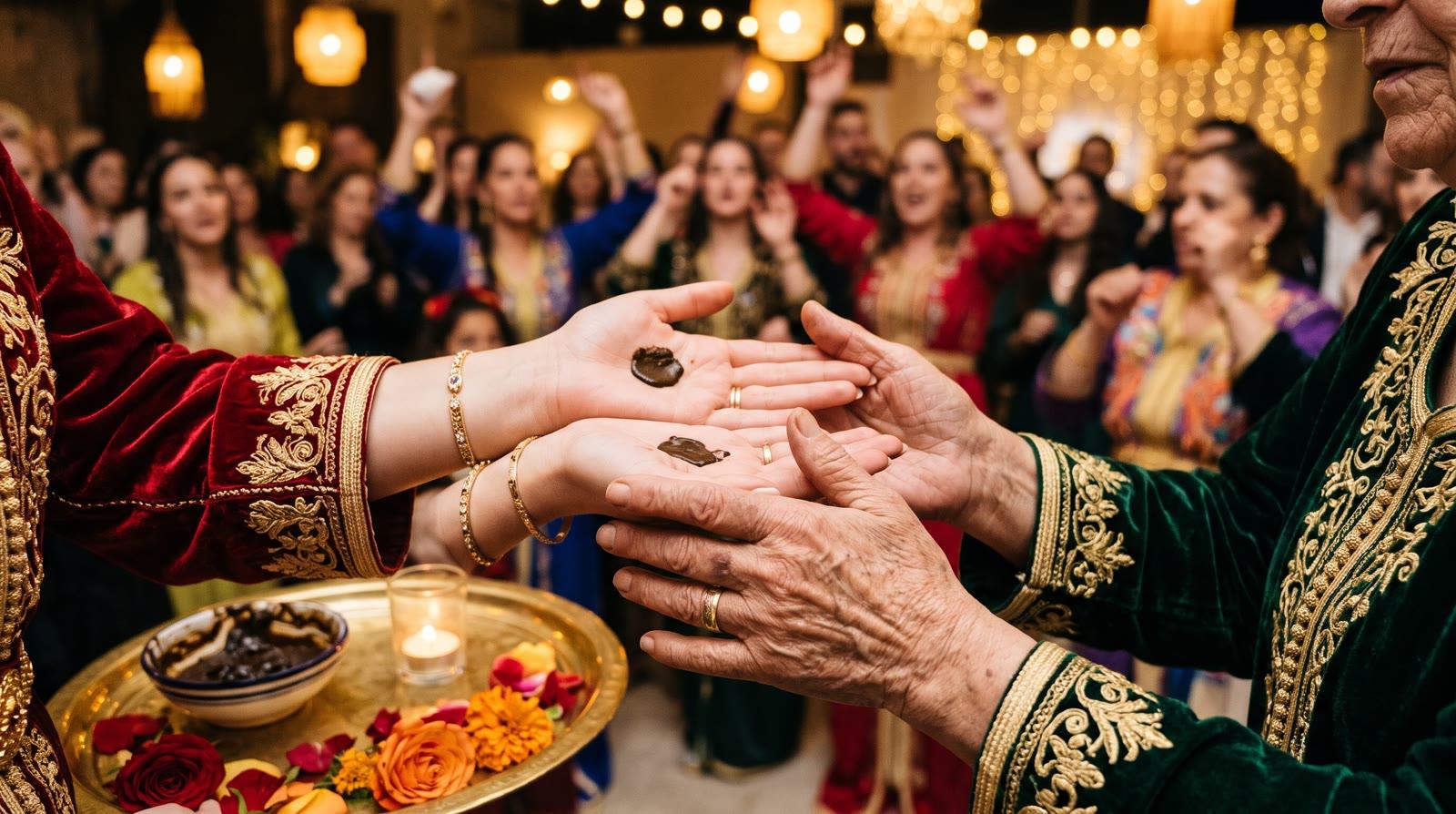
The henna is a different evening from the wedding. It is often more of a family evening, and both families are there, including the older relatives who keep the traditions. Customs vary from family to family. In the Yemenite Jewish tradition, for example, the henna is held before the wedding as one of a series of wedding rituals, each community developed its own henna songs, and the Jewish Music Research Centre at the Hebrew University notes that the ceremony is still common among Yemenite communities in Israel. If you're not sure what the family's customs are, ask the parents or the grandparents.
This changes what the video can be. At the wedding, many of the guests are friends and colleagues, and a video of the couple growing up works well for them. That video has its own guide: a wedding video of the bride and groom growing up. At the henna, almost everyone in the room is family, so the video can go back a generation: the grandparents when they were young, where each family comes from, and only then the couple.
If there will be a video at both events, give each one its own focus. The henna video is about the roots and the two families. The wedding video is about the two of them.
Ideas for what to put in it
- Start with the grandparents. A grandparents' wedding photo, then photos of the two of them over the years, up to a recent one. In a Growing video each photo morphs into the next, so the guests watch the couple grow old together in one continuous shot. Two people per photo works well.
- Look for the family's own henna photos. If the parents or the grandparents had a henna of their own, those photos are worth finding: a grandmother in her own henna dress decades ago, on the screen at her granddaughter's henna.
- One family at a time. Give each side its own part: her grandparents, then the bride growing up; his grandparents, then the groom growing up. Each family recognizes its own photos, and nobody feels left out.
- Each partner growing up. From the earliest baby photo to today, the same person in every photo, with the face clearly visible. This is the part the cousins who grew up alongside them will know by heart.
- The big family photos, in a part of their own. Holiday tables, family trips, a cousin's bar mitzvah with thirty people in the frame. A Growing part works best with fewer than three people per photo, so put these in a Classic part, where each photo is animated on its own. One final video can combine Growing and Classic parts.
- An old home video as the opening. If someone has a short home video from a grandparents' wedding or an old family henna, it can be the opening of the video, up to 60 seconds, and it keeps its sound.
- End with the two of them. Photos of the couple together, from the first one to the engagement. It's the moment the two family stories meet, right before the dancing.
A sample running order
At a henna, three to four minutes on the screen is plenty. The dancing is waiting. A running order might look like this:
- An opening with both names and the date.
- Her side: a short part of her grandparents, then the bride growing up.
- His side: the same for the groom.
- A Classic part with the big family photos from both sides.
- The two of them, ending on a recent photo.
In a Growing part, every consecutive pair of photos becomes one animation, so 13 photos make about a minute. The smallest package is a 1-minute video, and each extra minute takes 12 more photos. In Echoes each part is its own project, and in the final step you put the parts in the order you want. A text slide can introduce any part, so each family can get its own title.
The old prints usually live in the grandparents' albums. You don't need a scanner: lay each print flat in even daylight and photograph it straight on with a phone, without glare. For fragile originals, the Library of Congress has a short guide to caring for and handling photographs.
Who makes it
The video can come from anyone close to the couple: a sister, a cousin, one of the mothers, or a close friend. A few things make it easier:
- One person makes the video, and everyone else sends photos. It saves a lot of back and forth over versions.
- One collector on each side. The bride's family and the groom's family each have their own albums, and a cousin from each family knows whom to ask.
- Sit with the grandparents. Going through the old albums with them is the best way to find the photos, and to hear who is in them and when they were taken.
- A surprise is fine, but tell the hall. Let the venue manager or the DJ know you have a few minutes of video, so it gets a slot in the evening.
Keeping it a secret until the night isn't always easy. One customer described it like this:
"My level of excitement and enthusiasm for what I "created" was so high, that I didn't have the patience to keep the video to myself until the day of the event. That's how I started recruiting secret partners to share the viewing of this amazing thing"
- Lior Ovsiovich
Music that fits a henna
A henna is a party, and the video plays just before the dancing, so the music can be upbeat rather than a slow ballad.
- A song the family loves. You can upload your own track. Owning a song or streaming it doesn't by itself give you the right to put it in a video you share publicly, so keep that in mind if the video will be posted.
- A custom song written for the couple. With their names and a few family stories in the lyrics, in Hebrew or English. You pick a style, or describe the style you want in your own words, and the song is sized to the length of the video.
- The built-in library, if you'd rather pick something ready.
- More than one song. Up to five songs can play one after another, so a calmer song can carry the grandparents' part and a livelier one can lead into the couple and the dancing.
Short text that reads in the hall
A henna hall is often dim, and many guests sit far from the screen. Keep every line short.
- The opening: both names and the date, in a style such as Album of Memories, Window of Time or Door of Light. One short line reads better than a sentence.
- Text slides between the parts: the family name of each side, or a few words such as "Where it all began".
- Text on an animation: a year or a place, for example "Grandma and Grandpa, 1962". It changes when the next animation starts.
- Contrast: light text on a dark background or the other way round, with a box behind the text when it sits over a photo.
Hebrew text is laid out right to left, and you can check every line in a preview. There's more in how to add Hebrew text to a photo video.
Playing it at the henna
- Ask about the screen early. Not every henna hall has a projector or a screen, and a henna at home needs one brought in. Check the sound too.
- Choose landscape for every part. The shape is chosen when you upload the photos and every animation is made in it, so decide before you start. A hall screen is wide. A finished video can be shown in another shape later, on a blurred background, but only landscape animations fill the hall's screen.
- Pick a calm moment. For example once the older relatives are seated, or before the dancing starts, when people are still near their tables.
- Send the file ahead. Give the MP4 to the DJ a few days before, ask for a test with sound, and bring a copy on a USB stick. See how to show a video gift at an event for a full checklist.
If one of the couple's parents is making a video just about their own child, see a wedding gift for your son or daughter, made from their childhood photos.
Your photos stay private, are never used to train AI models, and can be deleted anytime from your dashboard.
Your first animation is free to try, so you can see a grandparents' wedding photo come to life before the henna.
What makes Echoes different
Echoes turns photos from across the years into one continuous video of a life. Each photo flows into the next, so a baby grows into a bride or groom, or a couple ages together over decades, in a single unbroken shot. Echoes then finishes it as a gift, ready to play at the event.
- Growing videos. You add dozens of photos of the same person or couple, and Echoes morphs each one into the next. It isn't a slideshow or a set of separate animations: you watch someone grow up or grow old in one continuous video. It fits a henna, a wedding, bar and bat mitzvahs, anniversaries, and family tributes.
- Automated, but guided. Echoes does the heavy lifting: it picks the AI models, writes the prompts, generates the animations, and stitches everything into one finished video. You still decide everything that matters. It walks you step by step through ordering your photos, reviewing each animation (with a full set of free retries), and choosing the opening, the ending, and the music. You get the result of a skilled AI video workflow without having to learn one.
- A finished gift, not a tool. The result is a complete video with titles, an ending, a soundtrack, and a share link. It's priced by the length of the finished video, not by credits or tokens: a one-time purchase, with a 30-day money-back guarantee.

About the author
Sagie, founder of Echoes
Sagie is the founder of Echoes. He built it in 2025 after piecing together an AI video gift from his mother's old childhood photos for her 72nd birthday, and has since helped hundreds of families turn their own photos into video gifts.
Frequently asked questions
- Can the same video play at the henna and at the wedding?
- It can, but most of the wedding guests are friends and colleagues who don't know the grandparents. An easy option is a second version for the wedding: leave out the grandparents' parts, change the opening and the text, and compile again. Re-compiling the final video is included, as many times as you like.
- Can we include a grandparent who is no longer alive?
- Yes. Their photos belong in the video like everyone else's, and a short text with their name on one of their animations, or a text slide before their part, is enough. Keep it gentle and brief: the henna is a celebration, and a few seconds of a grandfather smiling at his own wedding says more than a long dedication.
- What if one family has far fewer photos than the other?
- That's common, especially for the older generation. Each part can be a different length, so a short part for one side is fine. Before you settle, ask the aunts and the older cousins: they often have prints that never made it into the parents' albums.
- What if one of the animations doesn't come out right?
- Retry it, or swap the photo for another one. Every package includes a bank of free retries sized to the package, to spend on whichever animations you're not happy with. Swapping a photo uses retries from the same bank.
- Can relatives who can't come to the henna watch it?
- Yes. The finished video stays in your dashboard as an MP4 you can download, and it has a share link you can send to the family WhatsApp group, so relatives abroad or a grandparent who couldn't travel can watch it that evening.
- How much does a henna video cost?
- It's a one-time purchase priced by the length of the finished video, not a subscription, with a 30-day money-back guarantee.