
An easy birthday gift for your parents: a video from family photos
 By Sagie, founder of Echoes·Updated October 5, 2026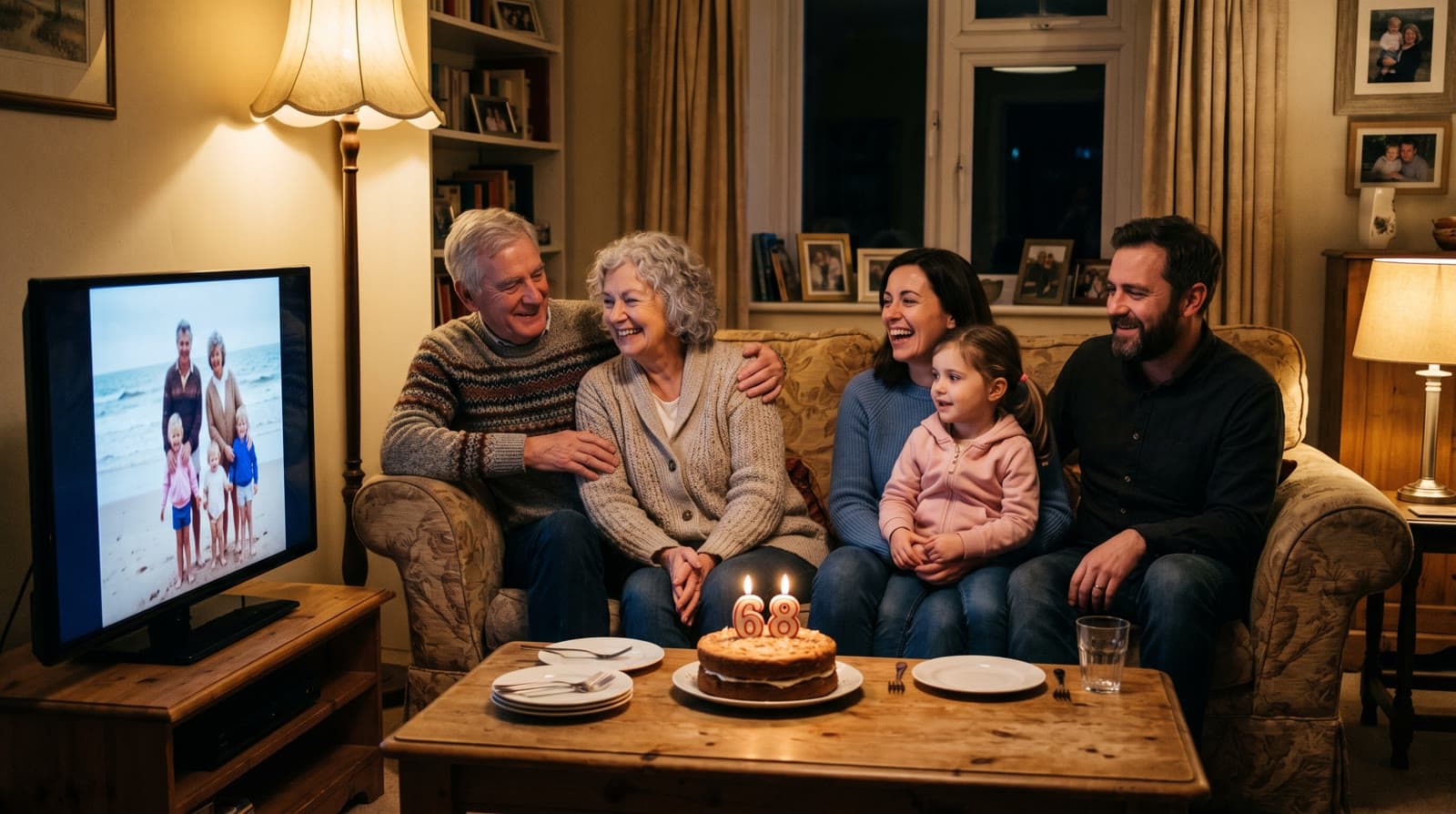
An easy, personal birthday gift for your parents is a short video made from family photos: their younger years, their wedding, you and your siblings growing up, and today. With Echoes you upload the photos and they blend one into the next, so you watch their life unfold, then it's finished with music and a personal opening. Most people are done in under 30 minutes.
Why a video from their own photos works
Plenty of parents say they don't want anything for their birthday. What they usually mean is that they don't want more things. A video made from the family's own photos isn't a thing. It's the years they gave you, played back for them.
It's also a gift that's hard to get wrong. You don't need to guess their taste or their size. The photos already exist, scattered across phones, albums, and relatives' drawers. Putting them together is the gift.
This is how Echoes started, actually. For my mother's 72nd birthday I wanted to give her something personal:
"I wanted to make her a special gift - to take her old childhood photos and the photos of her parents, and bring them back to life."
- Sagie, founder of Echoes
What it takes
Not much:
- Gather the photos. Their childhood, their early years together, the wedding, the family years, and recent ones. Phone photos and prints both work.
- Pick a style. The Growing style is our signature video: each photo naturally morphs into the next, so you watch them change over the years. Each consecutive pair of photos becomes one animation. For group photos, Classic style works best.
- Finish it. Add a personal opening with your own text, music, and a closing title card, then compile and download.
Each step is a few clicks. The animating runs in the background, so you can start it, leave, and come back when it's ready. The smallest package is a 1-minute video, which takes 12 photos in Classic style or 13 in Growing style, and each extra minute takes 12 more.
Finding the photos
The best photos of your parents' early years are rarely on your phone. They're in their albums, or with a grandparent or an aunt. Two ways to get them without giving the surprise away:
- Ask the family first. A message in the family group, or to one sibling, usually turns up more than you expect.
- Photograph prints on your next visit. You don't need a scanner. Take a phone photo of each print in even daylight, straight on, and avoid reflections from the album's plastic sleeves. The Library of Congress has a short guide to caring for and handling photographs if any are fragile.
When you choose, the one rule that really matters is that the face is clearly visible. If a face is turned away, tiny in the frame, or hidden, the AI has to fill in the details, and it stops looking like your mom or dad. Ordinary snapshots are fine; they often animate better than stiff posed portraits. There's more in how to choose photos for a video gift.
Making it theirs
Three small choices do most of the work:
- The opening. Every video starts with a personal AI opening with your own text, in a style like Album of Memories, Window of Time, or Door of Light. A simple line works best: "Happy birthday, Dad" and the year.
- The music. Upload a song that belongs to them, like the one from their wedding or a singer they played in the car when you were a kid. You can also pick from the built-in library or have a custom song generated for the video.
- A closing title card. A short card at the end with a name, a date, or one line from the family.
Pair it with something small
A video plays for a few minutes. If you'd like something they can hold as well, pair it with a small handmade extra: a handwritten card from each grandchild, a printed copy of one photo from the video, or a little book of "coupons" for things you'll do together. The video is the moment; the extra is something that stays on the table afterwards.
Giving it
The video is an MP4, so you can:
- Play it on the TV at the birthday dinner, with everyone in the room.
- Send it to the family on WhatsApp so siblings who live far away can watch at the same time.
- Load it onto a digital frame so your parents can watch it again whenever they like.
If you'd rather they see it first in private, send it to them in the morning and watch them call you.
For a 60th, 70th, or 80th, a longer video that covers a whole life suits the occasion better - see the video gift for a milestone birthday. And if you're not sure how long to make it, there's a guide to how long a video gift should be.
It's a one-time purchase priced by the length of the finished video, not a subscription, with a 30-day money-back guarantee. Every package comes with a full set of free retries, one for every animation in it, and you can re-compile the final video as many times as you like. If you get stuck, a real person is on WhatsApp to help.

About the author
Sagie, founder of Echoes
Sagie is the founder of Echoes. He built it in 2025 after piecing together an AI video gift from his mother's old childhood photos for her 72nd birthday, and has since helped hundreds of families turn their own photos into video gifts.
Frequently asked questions
- How do I get their old photos without spoiling the surprise?
- Ask a sibling, an aunt, or a grandparent first - they often have prints too. If the albums are at your parents' house, photograph a few pages with your phone on your next visit. A phone photo of a print in even daylight works fine.
- Can I make one video for both parents?
- Yes. Growing style, our signature video, shows the two of them as a couple over the years, with each photo naturally morphing into the next. It works best when most photos show the two of them, with fewer than three people in each. For group photos, Classic style works best.
- My siblings want to chip in. Can we work on it together?
- One person builds the video in their own account, so the simplest setup is to collect everyone's photos in a shared folder or family group and have one sibling upload them. The video can end on a title card with a short line from all of you.
- Is this only for a big birthday?
- No. A short video works for any birthday. For a 60th, 70th, or 80th, a longer video that covers their whole life fits the occasion - there's a separate guide for milestone birthdays.
- What file will I get?
- An MP4. You can play it on the TV at dinner, send it to family on WhatsApp, or load it onto a digital frame so they can watch it again at home.
- Are the photos private?
- Yes. Your photos are private to you, stored securely, never used to train AI models, and you can delete them from your dashboard at any time.