
The best Deep Nostalgia alternative in 2026 (and how it's different)
 By Sagie, founder of Echoes·Updated October 5, 2026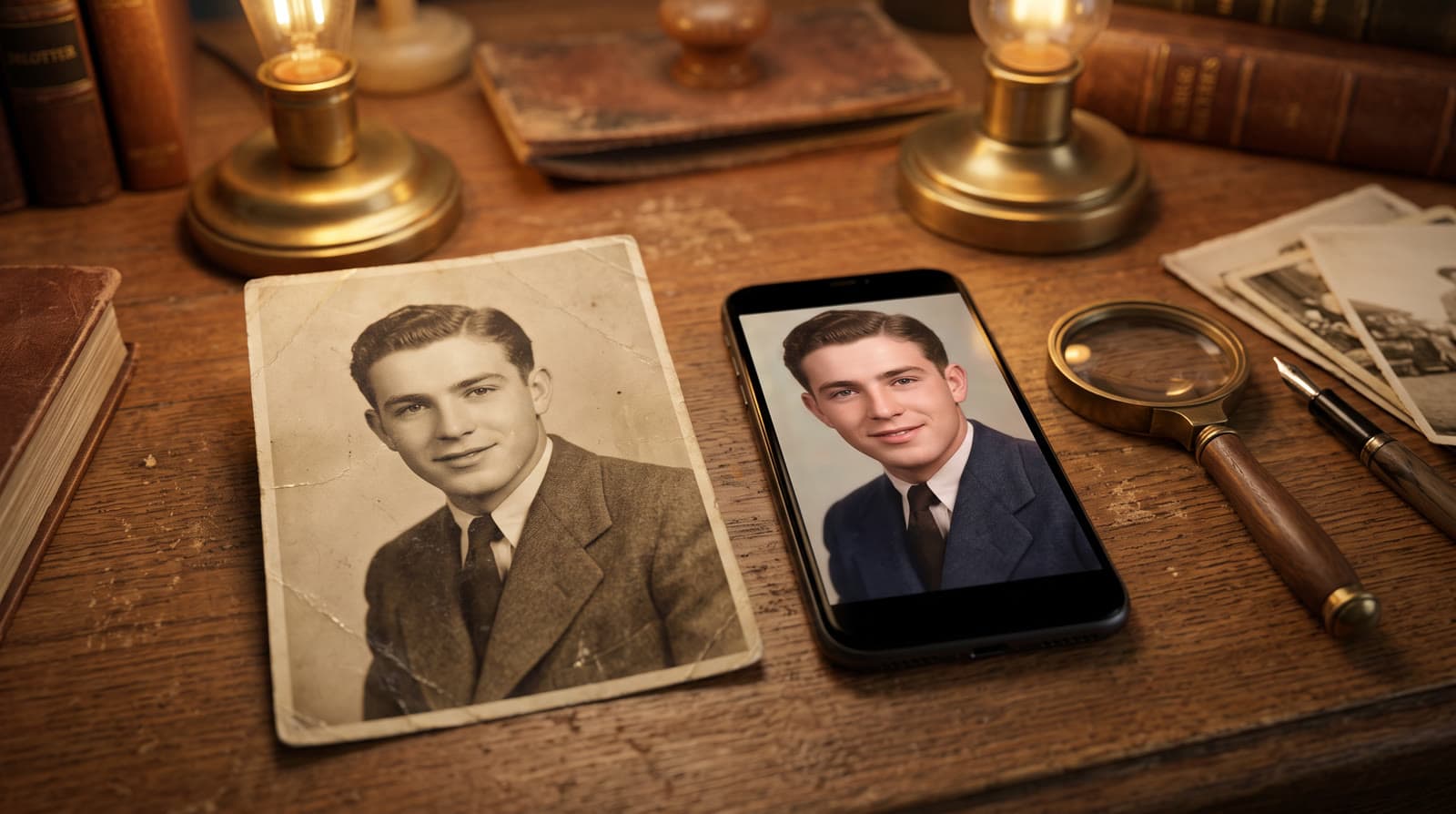
Deep Nostalgia was retired by MyHeritage. To bring an old photo to life today, you upload it and an AI tool adds gentle, natural motion. Echoes goes further: it animates several photos for you automatically, then finishes them into one video - with a personal opening, titles, and music - so you get a gift, not just a single moving face.
What happened to Deep Nostalgia
Deep Nostalgia was the MyHeritage tool that went viral in 2021 - it animated a face in a still photo so it blinked and smiled. It's since been retired, and DeepStory shut down in 2026. If you came here looking for it, that's why you couldn't find it.
The good news: the technology kept getting better. Animating an old photo now looks far more natural than it did back then - gentle and lifelike, not stiff or robotic. And you no longer need a genealogy account or a family tree to do it.
How to bring old photos to life now
The basic idea hasn't changed: you pick photos, and AI adds movement. Most tools stop at a single photo and a few seconds of motion. Echoes does more, and does the work for you:
- Upload your photos - straight from your phone, including scans of old prints. You can add dozens.
- We animate them. In our signature Growing style, each photo naturally morphs into the next; for group photos, Classic style brings each one to life on its own. If an animation doesn't come out the way you pictured it, you can retry it (every package comes with a free retry for every animation).
- We finish it into one video with a personal opening with your own text, a closing title card, and music - your own song, the built-in library, or one generated for you.
The best way to use an old print
You don't need a scanner. The quickest way to digitize an old album photo is to photograph it with your phone: find a spot with good, even daylight, hold the camera straight on, and avoid reflections and shadows. That single snapshot is all Echoes needs.
If you're working with fragile originals, it's worth handling them with a little care. The Library of Congress has a plain-language guide to caring for and handling photographs that covers the basics well.
Which old photos work best
Clear, front-facing photos with good lighting animate best - old, slightly faded prints included. The one rule that really matters: the face has to be clearly visible. If a face is turned away, tiny, or hidden, the AI fills in the missing details and the result stops looking like them. Lead with your clearest photos, and skip any where you can't really see the face.
Finishing: from a moving photo to a gift
This is the real difference from a single-photo animator. Once your photos are animated, Echoes finishes them into something you can actually give:
- A personal opening with your own text, in one of a few styles - Album of Memories, Window of Time, or Door of Light.
- Music - your own song, a built-in library, or a custom track generated for you.
- A closing title card with a name, a date, or a few words.
Every step is a few clicks, and you can re-compile the final video as many times as you like.
Why a finished video beats a single animation
A single animated photo is a nice moment. But for a birthday, an anniversary, or a party, one image rarely feels like enough. Echoes turns a whole set of photos into a short film you can give someone or play at an event - the people and moments together, set to music. And if your photos span years, the Growing style can blend them into one continuous video of someone growing up.
That gap - between a clever single-photo trick and a finished gift - is the whole reason Echoes exists:
"I figured that if I could simplify all of that, anyone could create an emotional video gift of their parents - or their grown children - in minutes, without the trial and error."
- Sagie, founder of Echoes
Where you'll share it
The finished video is an MP4, and its shape follows your photos, so it fits wherever it's going: landscape for a screen at an event, vertical for WhatsApp, Stories, and Reels, and square as a safe middle ground for a digital frame at home. There's more on choosing a shape in portrait, landscape, or square.
Echoes vs a single-photo animator
A single-photo animator and Echoes solve different problems. If you only want to see one face move for a few seconds, a single-photo tool is quick and often free. If you want something to give someone or play at an event, here's what Echoes adds on top:
- Several photos, not one - a whole set animated and woven into one video.
- A personal opening with your own words, in a few styles.
- Music - your own song, a built-in library, or a generated track.
- A closing title card with names and dates.
- The Growing style, which blends photos into one continuous video of someone over the years.
- Retries and photo swaps, so you can fix any animation that didn't land.
You still get the single moving photo - it's just the start now, not the finished thing.
Your photos stay private
If you're animating photos of family - especially someone you've lost - privacy matters. Your photos are private to you, stored securely, and never used to train AI models. They're only ever used to make your video, and you can delete everything from your dashboard whenever you want. If you get stuck, a real person (not a chatbot) is on WhatsApp to help.

About the author
Sagie, founder of Echoes
Sagie is the founder of Echoes. He built it in 2025 after piecing together an AI video gift from his mother's old childhood photos for her 72nd birthday, and has since helped hundreds of families turn their own photos into video gifts.
Frequently asked questions
- Is Deep Nostalgia still available?
- No. MyHeritage retired Deep Nostalgia, and DeepStory was shut down in 2026. Several newer tools now animate old photos, so you still have good options.
- What's the best Deep Nostalgia alternative?
- It depends what you want. For a single moving portrait, most single-photo animators do the job. If you want a finished video woven from several photos with a personal opening, titles, and music, Echoes is built for that.
- Do I need a MyHeritage account to use Echoes?
- No. Echoes is separate from MyHeritage and doesn't need a family tree or a genealogy account. You upload your photos directly and get a finished video back.
- Is it free to try?
- Your first animation is free, so you can see how a photo of yours comes to life before you decide. After that it's a one-time purchase priced by the length of the finished video, with a 30-day money-back guarantee.
- How long does it take?
- Most people finish a whole video in 15-30 minutes. Each photo is animated in the background, so you can leave the tab and come back when it's ready.
- What does it cost?
- It's a one-time purchase priced by the length of the finished video, not a subscription, with a 30-day money-back guarantee. Retrying an animation is included at no extra cost.
- Where can I share the finished video?
- It's delivered as an MP4 you can share on WhatsApp, Instagram, or Facebook, or load onto a digital frame. The video's shape follows your photos, so it looks right wherever you post it.