
AI age progression or a Growing video: what's the difference?
 By Sagie, founder of Echoes·Updated October 8, 2026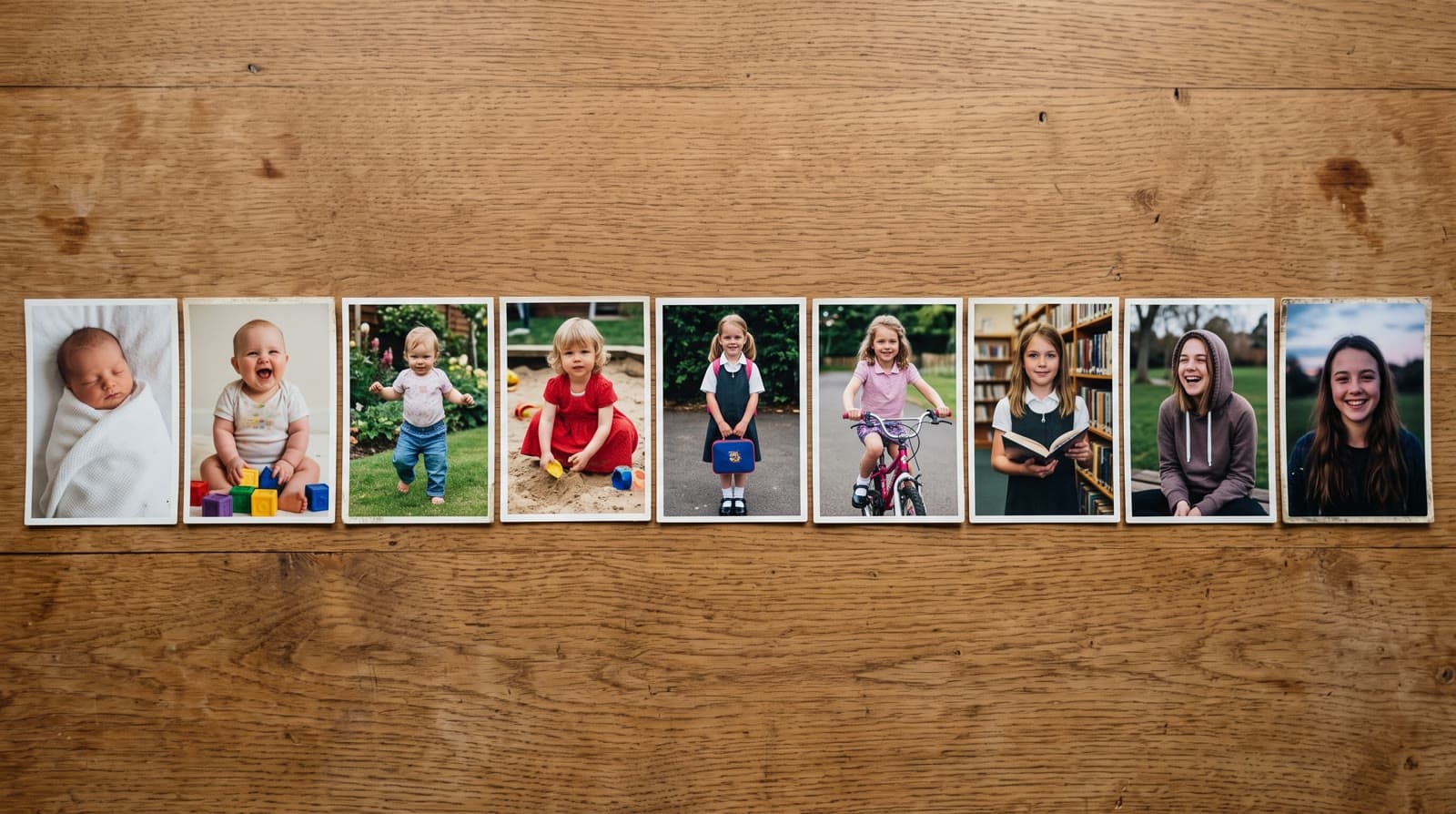
AI age-progression tools take one photo and generate an estimate of how that face might look older or younger. The faces you see are imagined. A Growing video takes your real photos from different ages and blends each one into the next, so every face it shows is a real moment. Age progression answers "what might they look like?"; a Growing video shows "this is who they were, year by year."
Two things that look alike
Search for "a video of my child growing up with AI" and you'll find two very different kinds of tools:
- AI age progression. You upload one portrait, and the tool generates older (or younger) versions of that face, sometimes as a short video of the face aging. It's a guess made by a model.
- A Growing video from real photos. You upload photos of the same person from different ages, and each photo blends into the next. That's what the Growing style in Echoes does. Each consecutive pair of photos becomes one animation, and together they form one continuous video.
People search for both as "age morphing", which is part of the confusion; a Growing video is the real-photo kind. Both can show a face changing over time. Only one of them shows the real face at each age.
Where age progression comes from
The technique is older than AI apps. Age progression is best known as a forensic tool, used to estimate what a missing person might look like years after their last photo. As Wikipedia's overview of age progression puts it, the result is the person's likely appearance, an educated estimate that depends on the reference photos and family features. AI tools now produce these estimates in seconds, but they're still estimates.
That's fine for what it is. Seeing your toddler as an imagined teenager can be fun. It just isn't a record of anything that happened.
Why real photos matter for a gift
When the video is for a bar or bat mitzvah, a milestone birthday, or an anniversary, the point is the years that actually happened: the gap-toothed school photo, the braces, the haircut everyone regrets. A generated face can't carry those, because it never existed.
There's a related rule inside Echoes that shows the same principle. For any photo you upload, the face needs to be clearly visible. When a face is turned away or tiny in the frame, the AI has to fill in the details, and the result stops looking like the person. The less the AI has to invent, the more the video looks like them.
To be precise about what happens in a Growing video: the motion between two photos is generated, because something has to carry the face from one photo to the next. But every photo it starts from and lands on is one of yours.
When each one fits
| You want to... | Better fit |
|---|---|
| See a playful guess of your child as an adult | AI age progression |
| Imagine a younger version of someone with no childhood photos | AI age progression |
| Show your child growing up at their bar or bat mitzvah | Growing video |
| Give a parent their life in photos for a 70th birthday | Growing video |
| Show a couple over the years at an anniversary | Growing video |
Making a Growing video from real photos
- Gather photos across the years, earliest first. Phone photos and prints both work; photograph prints with your phone in even daylight, straight on.
- Keep the same person as the clear subject in each photo, with fewer than three people per photo, and make sure the face is visible.
- Upload them in age order. Each pair blends into one animation. The motion style for each blend is chosen automatically at random from a bank of styles, or you can pick it yourself.
- Finish it with a personal AI opening with your own text, music (your own song, the built-in library, or a custom song generated for you), and a closing title card.
The smallest package is a 1-minute video, which takes 13 photos in Growing style, and each extra minute takes 12 more, so gather more photos than you think you need. Most people finish in under 30 minutes once the photos are in hand. For the full walkthrough, see how to make a Growing video, and for picking photos, how to choose photos for a video gift.
The reason this matters to me is what families tell me after they watch it:
"Since I launched Echoes, hundreds of families have gotten this gift - and felt the emotion, the excitement, and the warmth of seeing their loved ones over the years."
- Sagie, founder of Echoes
Growing is our signature video, where each photo naturally morphs into the next. For group photos, the Classic style works best.

About the author
Sagie, founder of Echoes
Sagie is the founder of Echoes. He built it in 2025 after piecing together an AI video gift from his mother's old childhood photos for her 72nd birthday, and has since helped hundreds of families turn their own photos into video gifts.
Frequently asked questions
- Can Echoes show what my child will look like when they grow up?
- No. Echoes doesn't predict future faces. It works with photos you already have and moves from one real photo to the next, so the video ends on the last photo in your set.
- Can I make a Growing video from a single photo?
- No. A Growing video needs a photo from each stage you want to show. The smallest package is a 1-minute video, which takes 13 photos in Growing style.
- What if I'm missing photos from some years?
- Gaps are fine. The video blends whichever photos you have in order, so a missing year just means a bigger jump between two photos. Ask relatives for the missing years before you start; they often have prints.
- Can I choose how each photo blends into the next?
- Yes. The motion style for each blend is picked automatically at random from a bank of styles, or you can choose it yourself. Every package also comes with a full set of free retries, one for every animation in it.
- Is it a problem to upload my children's photos to an AI tool?
- It's worth checking any tool's policy. With Echoes, your photos are private to you, stored securely, never used to train AI models, and you can delete them from your dashboard at any time.
- What does a Growing video cost?
- It's a one-time purchase priced by the length of the finished video, not a subscription, with a 30-day money-back guarantee. Retries and re-compiling the final video are included.